Phishing is usually made by email or IM. You will receive a message that may appear to be from a friend, a business, a government agency or some other legitimate entity. For example, a lot of phishing messages appear to be from credit card companies or banks. Some appear to be from major online retailers, such as Amazon, eBay, and PayPal.
What is Phishing
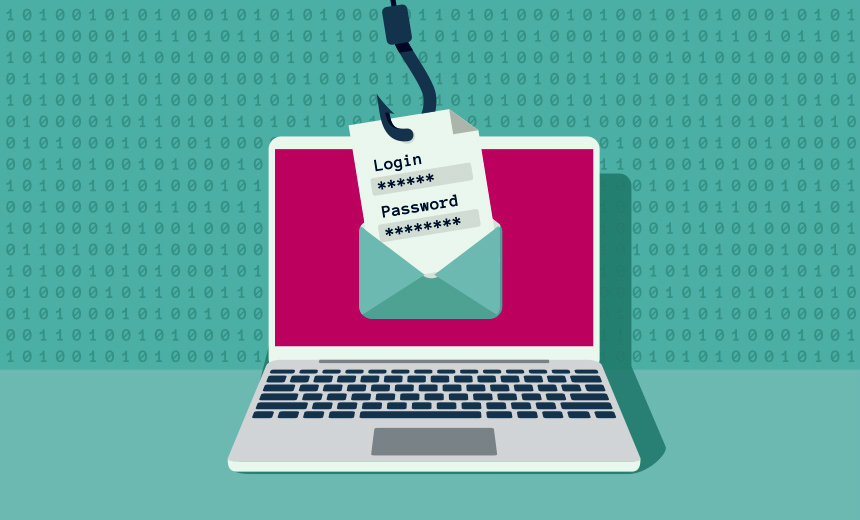
Phishing is a form of fraud in which an attacker masquerades as a reputable entity or person in an email or other communication channels. The attacker uses phishing emails to distribute malicious links or attachments that can perform a variety of functions, including the extraction of login credentials or account information from victims.
Deceptive phishing is popular with cybercriminals, as it is far easier to trick someone into clicking a malicious link in a seemingly legitimate phishing email than it is to break through a computer’s defenses…read more at – SearchSecurity.

Why Phishing Works
Such attacks are especially troublesome when the victims are privileged users within an organization. Suppose a user has privileges to approve or send checks, or authorize a bank transfer such as an ACH transfer. If that user can be tricked into giving up their username and password, then an imposter can potentially re-use the official username/password to initiate their own transfer. Since the transfer is being authorized by an appropriate account holder (as far as the system is concerned, with a valid username and password) it is harder to identify this as fraud without additional monitoring and validations.
Attackers utilize more advanced and more determined phishing methods if they are sure they have identified high value account holders. “Spear phishing” includes techniques to ensure that the attacks are successful. An attacker might, for instance, develop their target employee list, and then check social media pages like Facebook for interests, children’s names and schools, and other available information to gather detailed intelligence that they can use to craft a targeted email. You may not automatically respond to an email from your bank, but would an email from your dealer about an emergency recall notice on your new car, or a notice from a pharmaceutical company about critical side effects of a prescription drug you are taking, or an email about your daughter’s financial aid at college be likely to get some attention? These targeted emails are usually highly effective…to know more, visit – Securityweek.
From beginning to end, the process involves:
- Planning. Phishers decide which business to target and determine how to get email addresses for the customers of that business. They often use the same mass-mailing and address collection techniques as spammers.
- Setup. Once they know which business to spoof and who their victims are, phishers create methods for delivering the message and collecting the data. Most often, this involves e-mail addresses and a Web page.
- Attack. This is the step people are most familiar with — the phisher sends a phony message that appears to be from a reputable source.
- Collection. Phishers record the information victims enter into Web pages or popup windows.
- Identity Theft and Fraud. The phishers use the information they’ve gathered to make illegal purchases or otherwise commit fraud. As many as a fourth of the victims never fully recover
Read more at – Howstuffworks.

How to Avoid It
What can you do if you suspect phishing?
Here are some simple tips courtesy of Citrix ShareFile, which helps businesses securely and easily share files:
- Don’t panic or click on anything until you know it’s legitimate. One of your contacts just shared a Google Doc with you out of the blue. Odd, right? Yes! That person has no reason to share a document with you. While you might be curious to see what it is, stop. Don’t open it. Investigate first. Email your contact and ask if they actually shared a doc with you.
- Check for red flags, such as strange email addresses or misspellings. In the Google Docs phishing attack, the email was sent to a fake email address (hhhhhhhhhhhhhhhh@mailinator.com), not their address. That’s a clear giveaway that something phishy is going on.
- Notify the company that’s being impersonated. Do a simple Google search to get contact info for the company (in Google’s case, they have an entire page on how to report a variety of scams). Also make sure to click on the down arrow next to the Reply button and click “Report Phishing” to report the email.
- Share on your social media channels. Social media is faster than mainstream media. The Google phishing attack was another example. I found out about this scam after a couple of my friends posting about it – long before a single news story was written.
- Call your friends and family. Alert anyone you think could be impacted by the phishing attack.
Get more to know at – INC.
Despite the increasing sophistication and convincing nature of these emails, there are still some giveaway signs that may alert you to the presence of a phishing email. Get phishing awareness training and get the services of PhishProtection to know more about anti-phishing techniques.
 phishingsafetyprogram.code.blog